
Table of Contents
Most WooCommerce store owners use the words wallet and payment gateway as if they mean the same thing. They don’t. Confusing wallet vs payment gateway is one of the most expensive mistakes in ecommerce because it leads to picking the wrong tool, paying twice for overlapping features, or missing revenue you should have captured.
This guide breaks down what each one actually does, where they overlap, where they don’t, and why a serious WooCommerce store almost always needs both working together.
Wallet vs Payment Gateway: The Core Difference in One Line
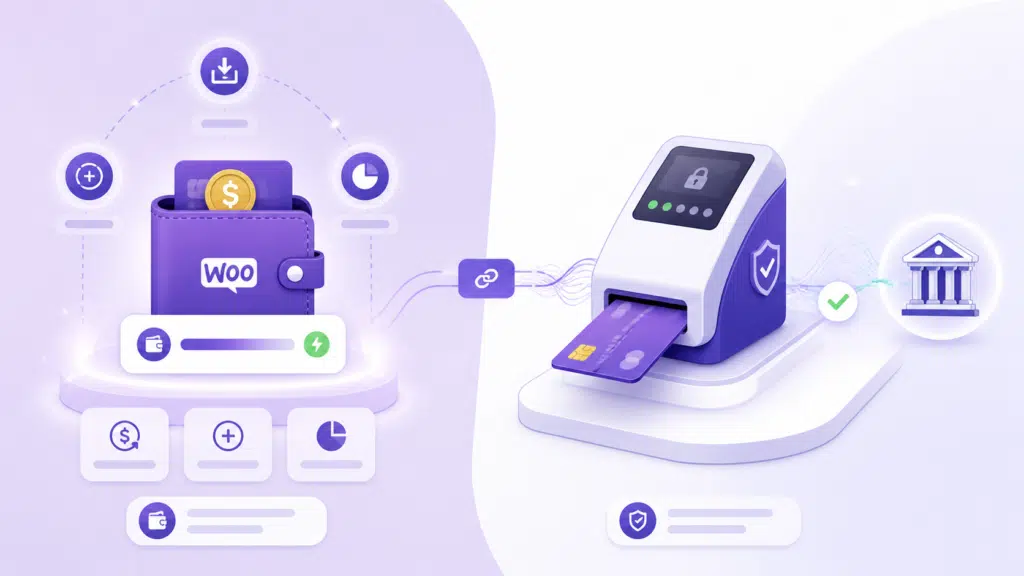
A payment gateway moves money from a customer’s bank or card into your bank account. A wallet holds money inside your store so customers can spend it later without touching their bank or card again.
That single distinction explains every other difference between the two. A gateway is an external pipe. A wallet is an internal account. They are not competitors. They sit in different layers of your checkout stack.
What Is a Payment Gateway?
A payment gateway is a third-party service that authorizes and processes card, UPI, net banking, or wallet-network transactions. When a customer pays at checkout, the gateway encrypts the payment data, sends it to the customer’s bank, gets approval, and settles funds into your merchant account a few business days later.
Common WooCommerce Payment Gateways
- Stripe
- PayPal
- Razorpay
- Authorize.Net
- Square
- Mollie, PayU, CCAvenue, and dozens of regional providers
What a Payment Gateway Charges You
Every gateway transaction costs you money. Typical fees are 1.9 percent to 3 percent per transaction plus a fixed cents amount. International cards, currency conversion, and chargebacks add more. These fees apply every single time a customer pays — including for repeat orders, refunds reissued via gateway, and small top-up purchases.
What Is a Digital Wallet in WooCommerce?
A digital wallet is a stored balance that lives inside your WooCommerce store, attached to each customer’s account. Customers can load money into the wallet, receive refunds into it, earn cashback or store credit into it, and spend that balance on future orders.
The wallet itself does not move money externally. It debits and credits an internal ledger. When a customer tops up, the gateway processes that one transaction. After that, every wallet payment is a database update — not a card swipe.
What a Wallet Is Used For
- Storing prepaid balance customers add ahead of time
- Issuing instant refunds without sending money back to a card
- Distributing store credit, loyalty rewards, referral bonuses, and promo balance
- Enabling partial payments where part of the order is paid from wallet and the rest from a gateway
- Reducing checkout friction for repeat customers
Wallet vs Payment Gateway: Side-by-Side Comparison
| Feature | Payment Gateway | Digital Wallet |
|---|---|---|
| Primary role | Processes external payments | Stores internal balance |
| Money source | Customer card or bank | Customer’s stored credit |
| Fee per transaction | 1.9% to 3% plus fixed fee | Zero (after initial top-up) |
| Refund speed | 3 to 10 business days | Instant |
| Partial payment support | Limited or none | Native |
| Works offline at checkout | No | Yes (after balance loaded) |
| Used for store credit | No | Yes |
| Used for refunds to customer | Yes, slow and reversible | Yes, instant and final |
| Required for first-time payment | Yes | No (but needed to fund wallet) |
Why a WooCommerce Store Needs Both
The wallet vs payment gateway debate is a false choice. They solve different problems and the strongest WooCommerce stores layer them on top of each other.
The gateway is non-negotiable. Without it, a brand new customer cannot pay at all. It is the entry point to your store.
The wallet is what keeps revenue inside your store after that first transaction. It increases repeat purchase rates, reduces refund leakage, and unlocks pricing tactics — top-up bonuses, partial payment, store credit promos — that a gateway alone cannot deliver.
Five Problems a Wallet Solves That a Gateway Can’t
1. Refund Friction
A gateway refund takes days, costs another transaction fee in many cases, and ends with the money leaving your store permanently. A wallet refund is instant, free, and the funds stay inside your store ready to be spent again.
2. Partial Payments
Most gateways treat each order as a single payment. They cannot split a 1,500 INR order into 800 from balance and 700 from card. A wallet with native partial payment support — like TeraWallet — does this in one checkout flow.
3. Store Credit and Loyalty Programs
Gateways have no concept of store credit. They only know about money coming in. A wallet can hold loyalty points, referral rewards, cashback, and seasonal promo balance — all redeemable at checkout without any gateway involvement.
4. Recurring Small Purchases
If a customer makes ten small orders a month, a gateway charges you a fee on every single one. With a wallet, they top up once and pay ten times for free. The gateway fee math alone justifies a wallet for any high-frequency category — digital downloads, food, recharges, subscriptions.
5. Failed Payment Recovery
When a card declines mid-checkout, most stores lose the order. With a wallet balance available, the customer can complete the order from stored funds and you save a sale that would have otherwise abandoned.
A Quick Cost Example
Consider a store with 1,000 monthly orders averaging 500 INR each. At a 2.5 percent gateway fee, that is 12,500 INR in monthly transaction costs.
Now imagine 40 percent of those customers are repeat buyers who would happily top up a wallet once a month rather than pay per order. Their 400 transactions collapse into 100 top-ups, each averaging four orders of value. That removes 300 transactions from the gateway — saving roughly 3,750 INR per month, or 45,000 INR per year, on fees alone.
That math ignores the bigger upside: faster checkouts, instant refunds, higher repeat purchase rate, and the top-up bonus tactic that pulls future revenue forward. The fee saving is the floor, not the ceiling.
When You Should Pick a Wallet, a Gateway, or Both
Use this short framework to decide where to invest first.
- Just launching: Set up a payment gateway first. You cannot run a store without one.
- Repeat-purchase business model: Add a wallet immediately. Subscriptions, marketplaces, food, beauty, and digital products all benefit fast.
- High refund volume: Add a wallet to reduce refund cost and keep funds inside your store.
- Marketplace or vendor model: A wallet becomes a settlement layer between vendors and customers — one of the highest-leverage uses.
- Loyalty or membership program: A wallet is the cleanest place to store and redeem credit.
Common Mistakes Store Owners Make
- Treating wallet vs payment gateway as a binary choice and picking only one.
- Issuing all refunds via gateway, eating the fees, and watching customers leave the store with their money.
- Choosing a wallet plugin that does not support partial payment — the single most valuable wallet feature.
- Adding a wallet but not promoting top-up bonuses, which means the wallet sits empty and unused.
- Ignoring how a wallet integrates with the existing gateway stack, leading to double charges or refund disputes.
How TeraWallet Fits Into Your WooCommerce Stack
TeraWallet is built to sit on top of any WooCommerce payment gateway, not replace it. Customers still pay through Stripe, Razorpay, PayPal, or whatever you already use to top up their wallet. From there, every spend, refund, partial payment, or reward stays inside the wallet.
Why Operators Choose TeraWallet
- Native partial payment at checkout — split any order between wallet balance and gateway in one click.
- Top-up bonuses to incentivize customers to load larger amounts and lock in future spend.
- Refund to wallet as the default refund path — instant for the customer, fee-free for you.
- Cashback and reward credit deposited directly into the wallet, with full transaction history.
- Compatible with every major WooCommerce gateway, so you do not rip out your existing setup to add it.
Final Take: Stop Comparing, Start Stacking
The honest answer to wallet vs payment gateway is that comparing them is the wrong question. The better question is: how do I make sure my gateway captures the first sale and my wallet holds the second, third, and tenth?
Stores that get this right pay fewer transaction fees, refund faster, run cleaner loyalty programs, and recover more abandoned checkouts. Stores that pick only a gateway leave all of that on the table.
Frequently Asked Questions
Is a wallet a replacement for a payment gateway?
No. A wallet stores balance internally, but customers still need a payment gateway to load funds into the wallet in the first place. The two work together, not in place of each other.
Does a wallet reduce my payment gateway fees?
Yes, indirectly. Once a customer tops up their wallet once, every subsequent purchase paid from the wallet does not incur a gateway transaction fee. For repeat-purchase stores, this saving is significant.
Can a customer pay an order partly from wallet and partly from card?
Only if the wallet plugin supports partial payments. Most do not. TeraWallet supports native partial payment at WooCommerce checkout, splitting the order between stored balance and the gateway in one transaction.
Are wallet refunds safer than gateway refunds?
For the store, yes. Wallet refunds are instant, fee-free, and keep the funds inside your store. Gateway refunds are slower, may incur fees, and remove the money from your business permanently. For high-trust customers, wallet refunds also reduce dispute and chargeback risk.
Which payment gateways does TeraWallet work with?
TeraWallet works with any payment gateway supported by WooCommerce, including Stripe, PayPal, Razorpay, PayU, Authorize.Net, and others. Customers top up the wallet through their preferred gateway and then spend from the wallet without further gateway involvement.